📄 PRO PDF Merger Tool – Merge Multiple PDF Files Online for Free
Managing multiple PDF files can be frustrating, especially when you need to combine them into a single document for easy sharing, uploading, or organization. Whether you’re a student, professional, or website owner, merging PDFs is a common task in today’s digital workflow.
📄 PRO PDF Merger
Drag & drop PDFs, reorder them, and merge easily
Table of Contents
Table of Contents
That’s where the PRO PDF Merger Tool comes in—a fast, secure, and user-friendly solution that allows you to merge multiple PDF files directly in your browser without uploading them to any server.
Powered by modern technologies like pdf-lib, this tool ensures speed, privacy, and convenience—all in one place.
🚀 What is a PDF Merger Tool?
A PDF Merger Tool is an online utility that combines multiple PDF documents into a single file. Instead of sending or managing several files, you can merge them into one organized document.
This is especially useful when:
- Combining reports or documents
- Merging scanned pages
- Creating a single file for submission
- Organizing business or legal files
With a tool powered by pdf-lib, the entire process happens directly in your browser—no uploads, no waiting.
⚙️ How the PRO PDF Merger Tool Works
The PRO version of this tool is designed with advanced features and a smooth user experience.
Here’s how it works:
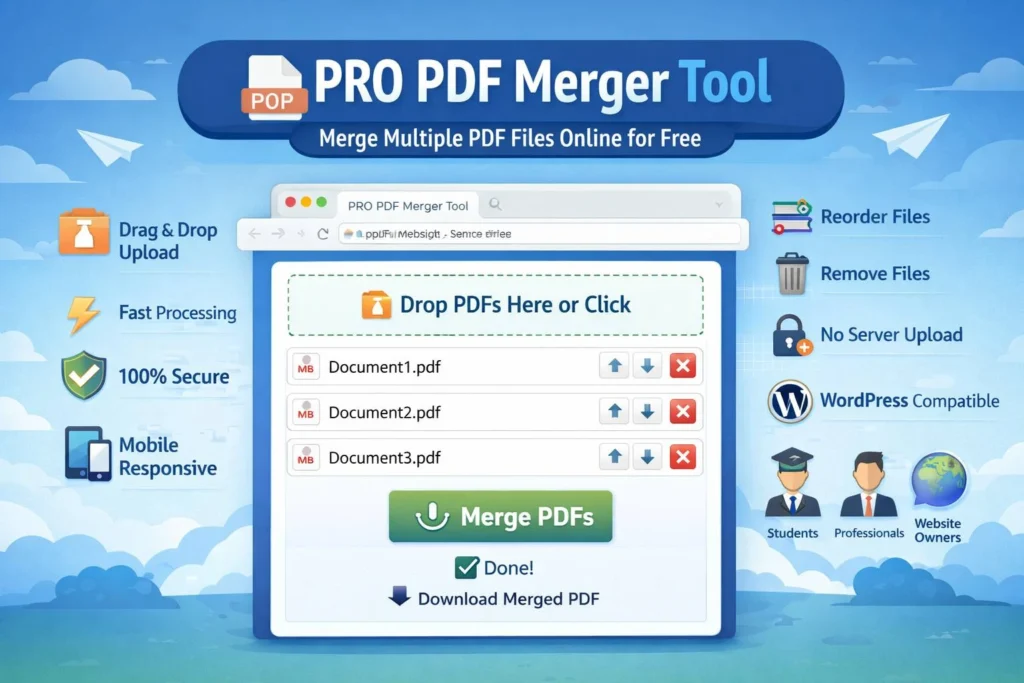
- Upload or drag & drop multiple PDF files
- Arrange files in your preferred order
- Remove unwanted files if needed
- Click the merge button
- Download your merged PDF instantly
Behind the scenes, the tool uses pdf-lib to read each PDF, extract its pages, and combine them into one final document.
🔥 Key Features of the PRO PDF Merger Tool
📂 1. Drag & Drop Upload
Easily upload files by dragging them into the tool. No complicated steps required.
📑 2. Multiple File Support
Merge as many PDF files as you need in one go.
🔀 3. Reorder Files
Arrange your PDFs before merging to ensure correct sequence.
🗑️ 4. Remove Files
Delete unwanted files before processing.
⚡ 5. Fast Processing
Instant merging with no server delays.
🔒 6. 100% Secure
Your files never leave your device. Everything is processed locally.
📱 7. Mobile Responsive
Works perfectly on mobile, tablet, and desktop devices.
💻 8. WordPress Compatible
You can easily embed this tool into your WordPress website using a Custom HTML block.
💡 Why You Need a PDF Merger Tool
📄 Better Document Organization
Instead of handling multiple files, combine everything into one clean document.
📧 Easy Sharing
Send a single PDF instead of multiple attachments.
🌐 Faster Uploads
Many platforms require a single file upload—this tool makes it easy.
🧑💼 Professional Presentation
Merged PDFs look more organized and professional.
🔒 Client-Side Processing for Maximum Privacy
One of the biggest advantages of this tool is client-side processing.
Unlike traditional tools:
- ❌ No file uploads
- ❌ No server storage
- ❌ No privacy risks
Everything is handled securely in your browser using pdf-lib.
This makes it ideal for sensitive documents such as:
- Contracts
- Financial reports
- Personal documents
⚖️ Client-Side vs Server-Side PDF Merging
| Feature | Client-Side Tool | Server-Based Tool |
|---|---|---|
| Privacy | 🔒 High | ❌ Depends on server |
| Speed | ⚡ Instant | ⏳ Upload required |
| Security | ✅ Safe | ⚠️ Risky |
| Setup | Easy | Complex |
For most users, client-side tools provide the perfect balance of speed and security.
🧑💻 Who Should Use This Tool?
🎓 Students
Merge assignments, notes, and scanned pages into one file.
💼 Professionals
Combine reports, contracts, and presentations.
🌐 Website Owners
Provide users with document merging tools directly on your site.
🧑🎨 Freelancers
Deliver organized files to clients quickly and professionally.
While this tool is powerful, there are a few limitations:
- Very large files may slow down processing
- Browser memory limits may affect performance
- No page-level editing (yet)
However, for most everyday tasks, it works perfectly.
🏁 Final Thoughts
The PRO PDF Merger Tool is a must-have utility for anyone dealing with PDF files regularly. It simplifies document management, saves time, and ensures secure processing—all without requiring technical skills.
Thanks to powerful browser-based libraries like pdf-lib, users can now merge PDFs instantly without relying on external servers.
Whether you’re a student, professional, or website owner, this tool provides a fast, secure, and efficient way to combine PDF files.